Manage work visually, track progress clearly, and build smarter workflows
Our board application helps teams organize tasks, monitor timelines, analyze progress, and automate work from one flexible platform. From day-to-day execution to high-level dashboards, every part of your workflow is connected.
Flexible Boards
Customize boards with columns, timelines, owners, statuses, and more.
Insightful Dashboards
Turn work data into analytics, KPIs, and milestone tracking.
AI-Powered Actions
Use AI columns to connect data sources and execute work faster.
A work platform for every task
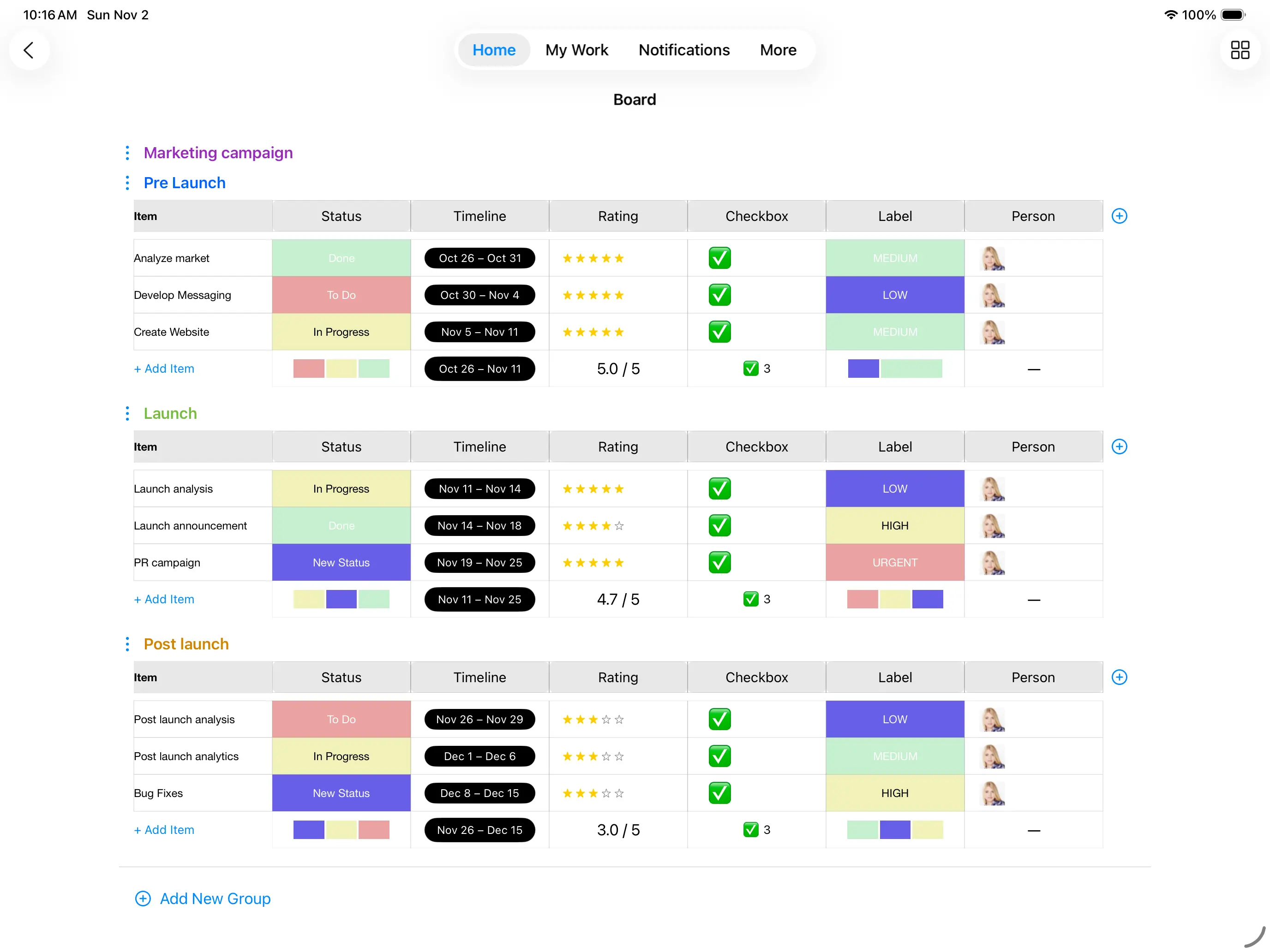
Create, organize, and manage tasks in a visual board built for real-world workflows. Teams can structure work with custom fields such as item name, timeline, start date, end date, priority, status, and more.
- Manage all tasks in one clear, visual board
- Use custom columns to fit your exact workflow
- Track progress, dates, owners, and milestones easily
- Adapt the board for operations, projects, sales, marketing, and more
View and update data in your own way
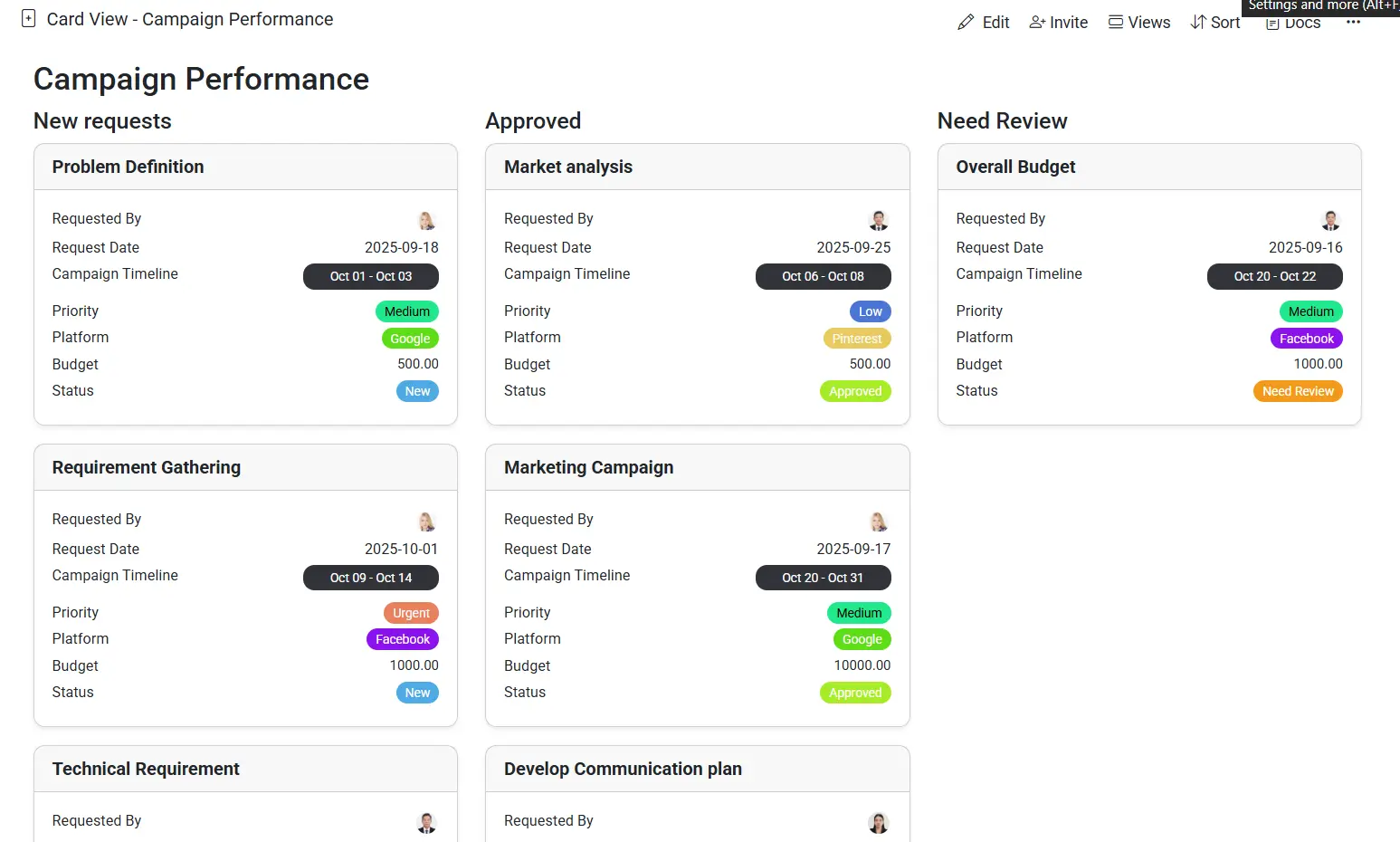
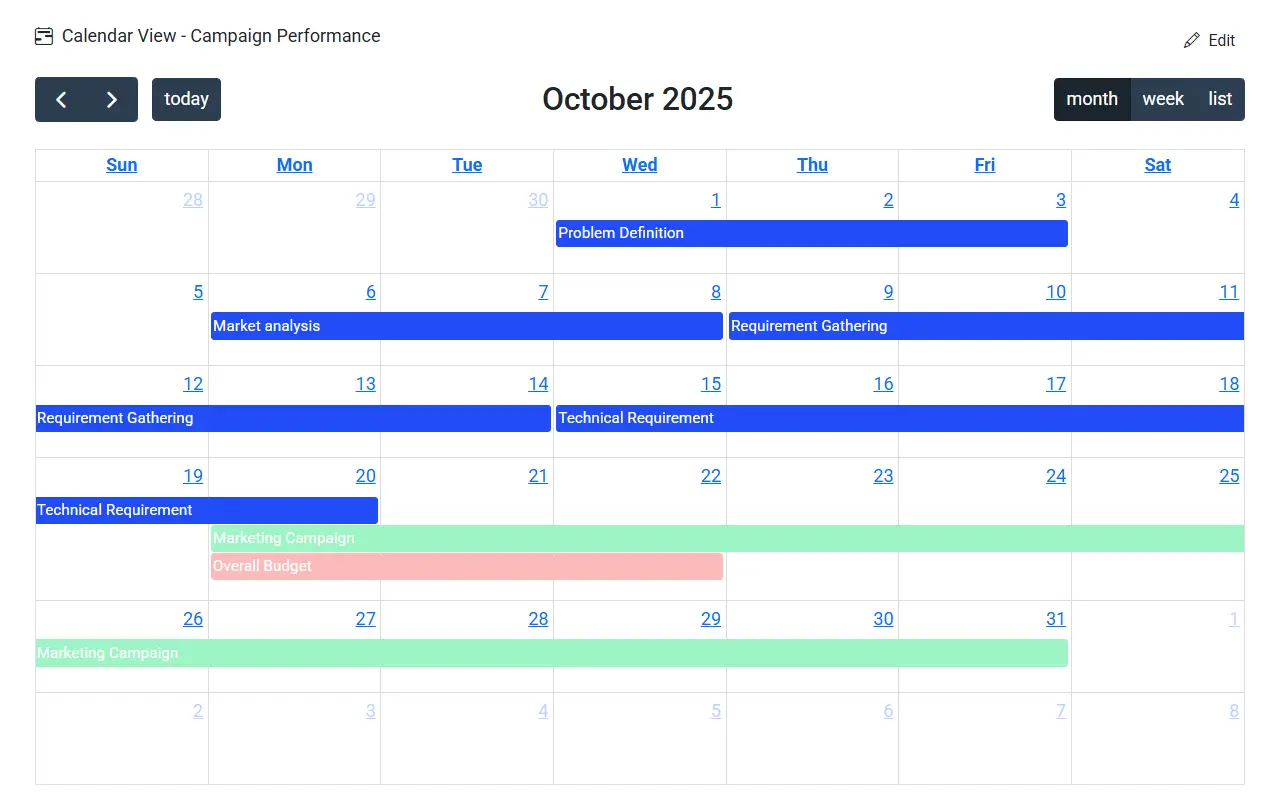
Every team works differently. That is why the same board data can be viewed in multiple formats depending on the task at hand. Focus on individual tasks in card view, check dates in calendar view, or manage delivery schedules in Gantt view.
- Card view for focused task-by-task updates
- Calendar view for schedules and deadlines
- Gantt view for timeline-based project planning
- One source of truth across every view
Track analytics, milestones, and KPIs in one dashboard
Transform board data into meaningful insights. Dashboards give teams a high-level overview of performance, important metrics, progress toward goals, and upcoming milestones.
- Monitor project health in real time
- Highlight KPIs and critical milestones
- Bring charts, numbers, and progress tracking together
- Help decision-makers focus on what matters most
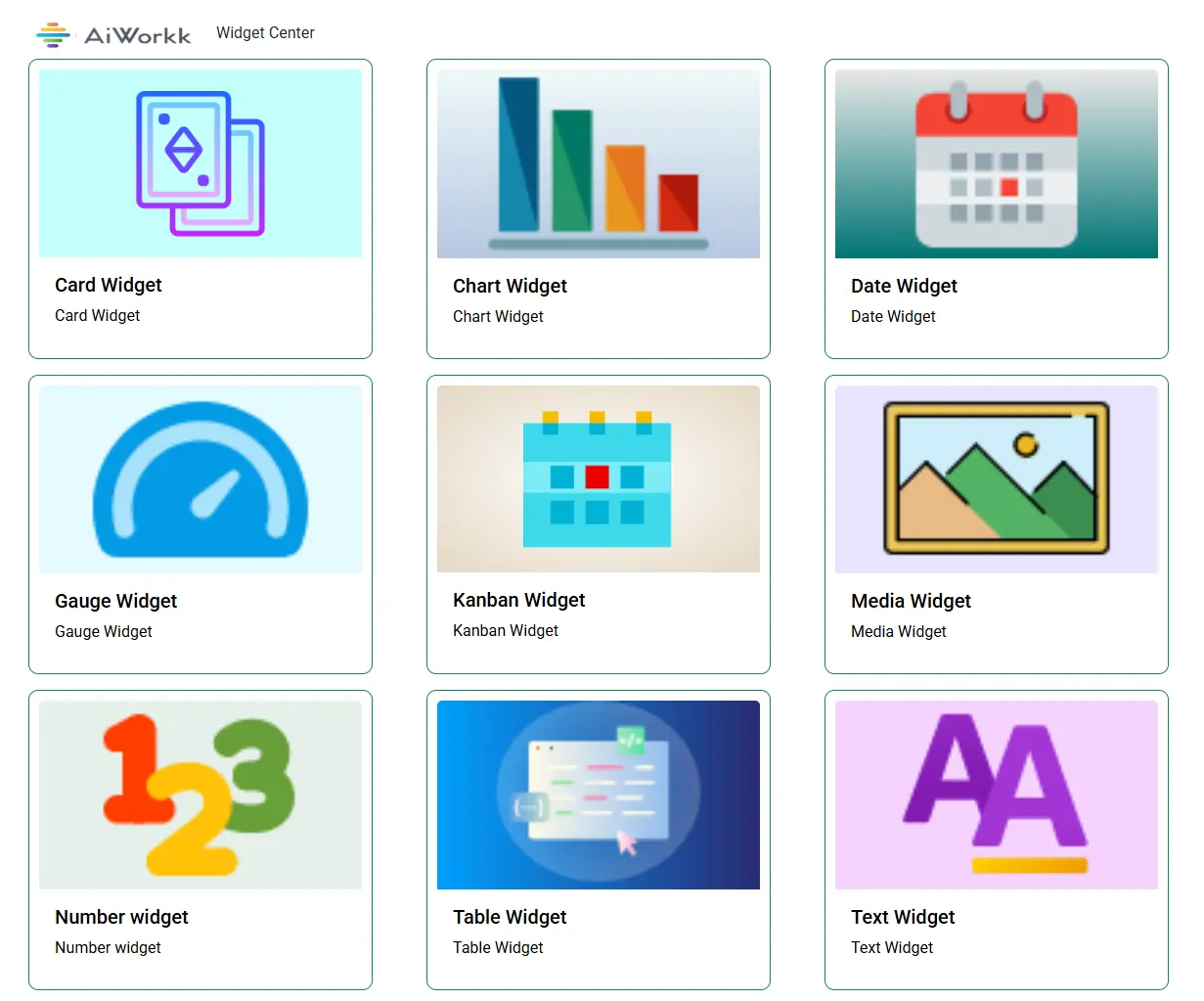
Build dashboards with flexible widgets
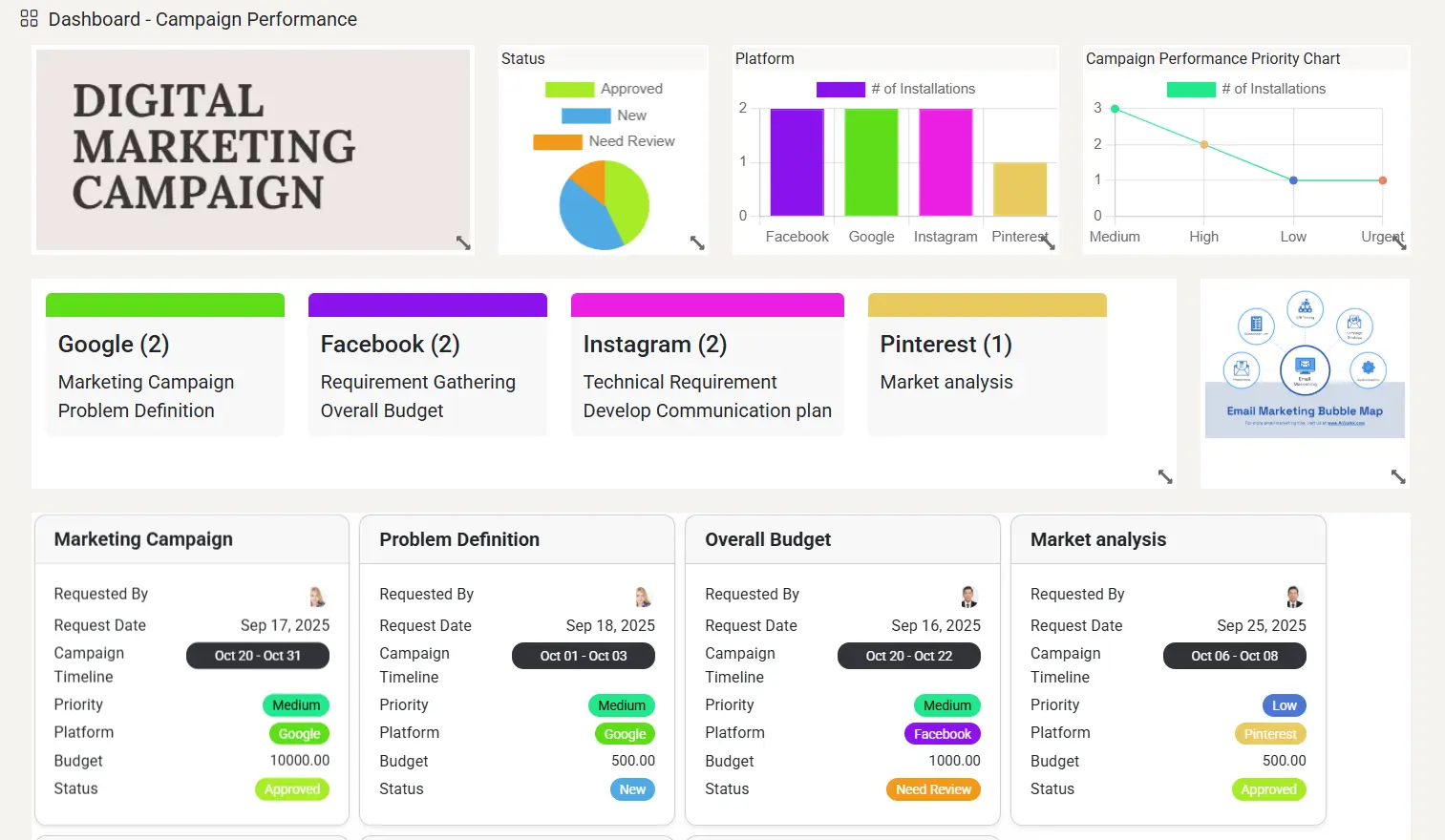
Design dashboards that match your exact reporting needs. Choose from multiple widget types and assemble a workspace that gives your team the right information at the right time.
- Use chart, table, gauge, number, card, and image widgets
- Create dashboards tailored to teams, departments, or leadership
- Combine visual summaries with detailed data blocks
- Build an at-a-glance command center for your work
Find and manage all available columns from one place
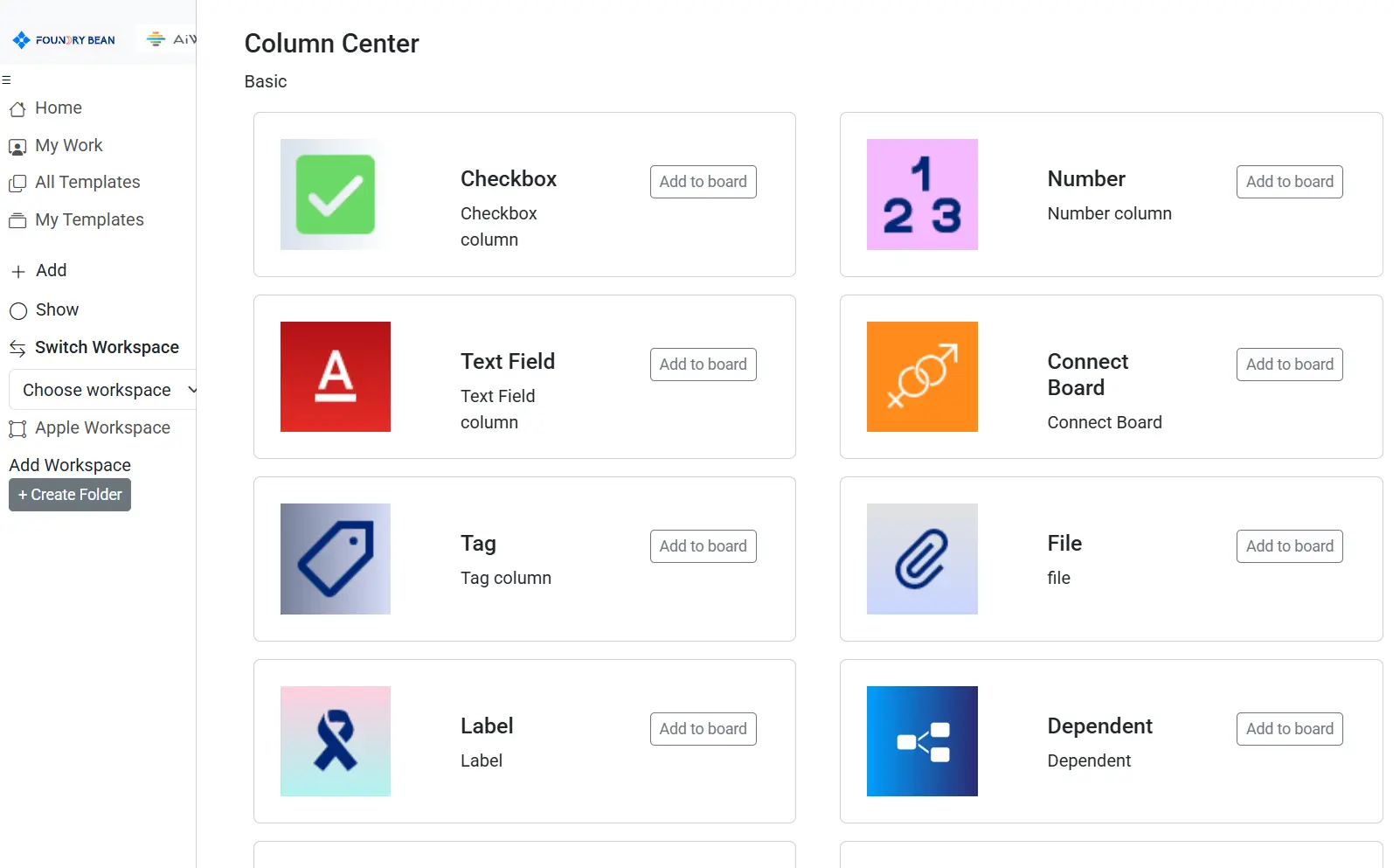
Column Center makes the board fully adaptable. Easily browse available column types and configure the fields your team needs for planning, execution, and reporting.
- Central place to manage board columns
- Add structure with dates, numbers, text, dropdowns, timelines, and more
- Support different workflows without changing your core process
- Make boards more scalable and easier to maintain
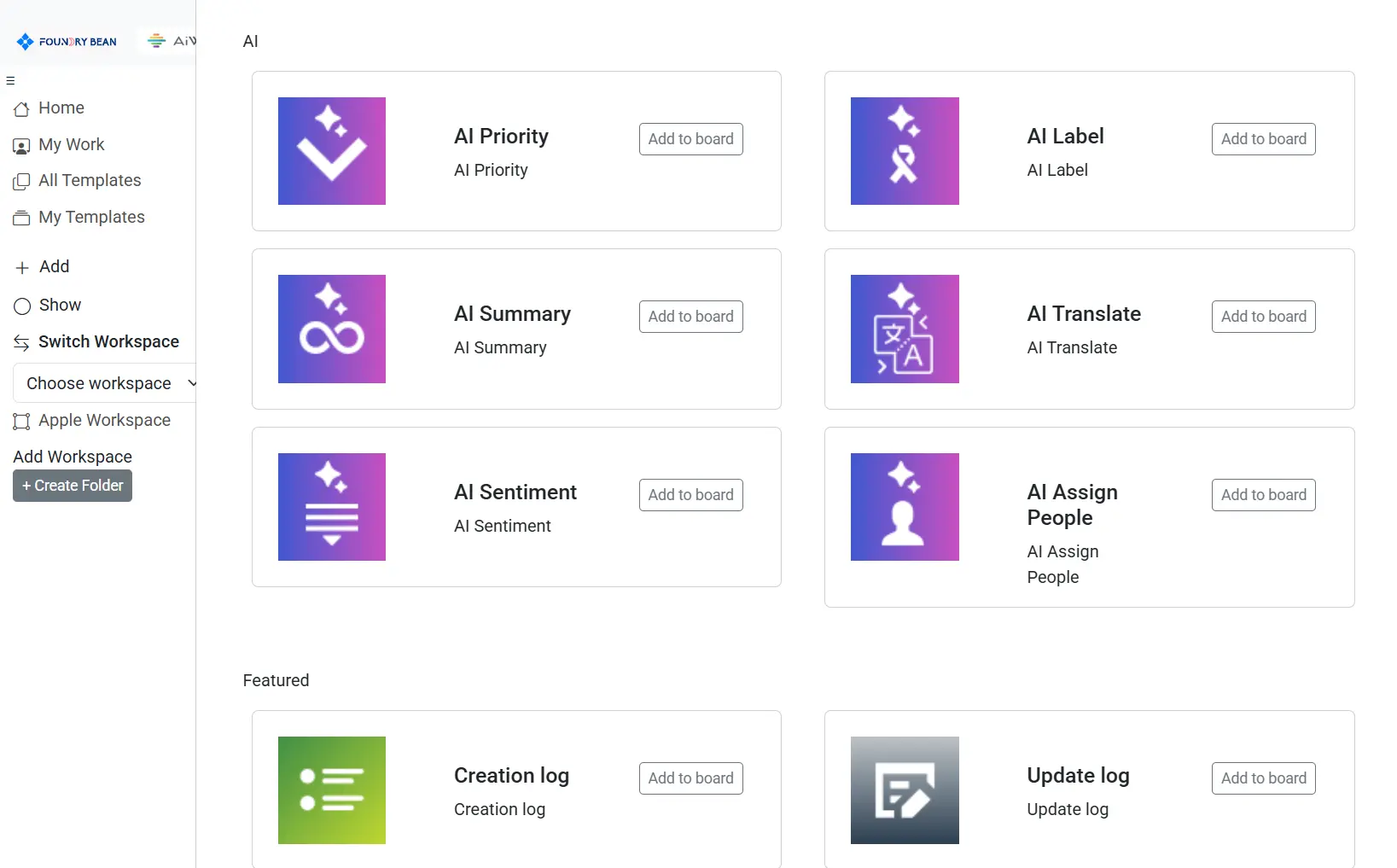
Execute tasks autonomously with AI-powered columns
AI columns go beyond storing data. They help your board take action by connecting with databases, file systems, knowledge bases, and websites to retrieve information and support autonomous task execution.
- Query data sources directly from your workflow
- Connect internal and external knowledge for faster execution
- Reduce repetitive manual work
- Bring intelligence into everyday task management
Plan better with timeline, Kanban, and Gantt views
Different projects need different ways of seeing progress. Advanced visual views make it easier to manage workflow stages, schedule tasks, and understand dependencies across the board.
Timeline View
See schedules across time and understand how work is progressing at a glance.
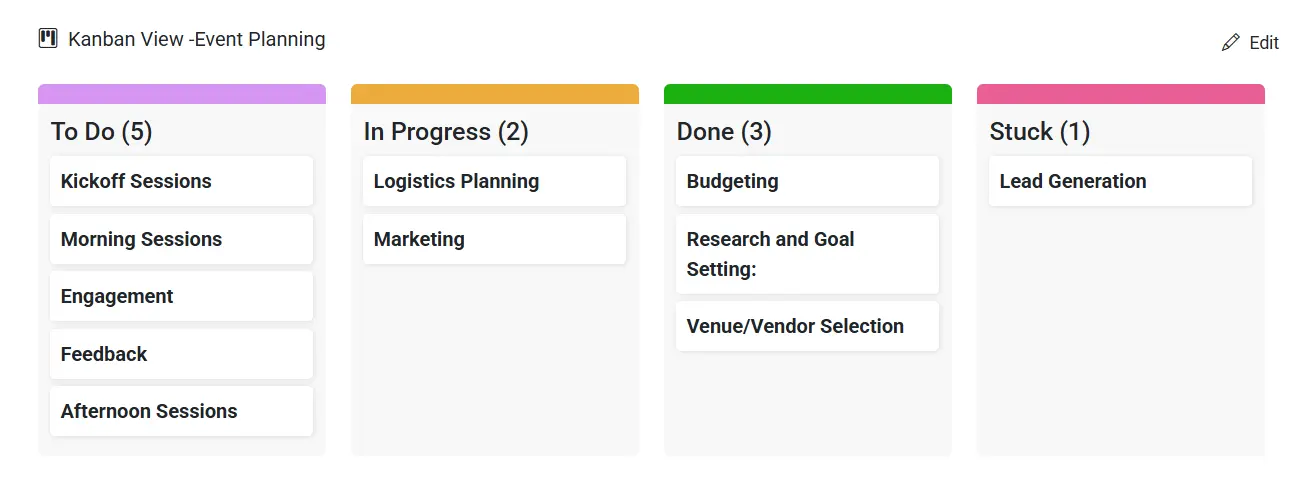
Kanban View
Track work by stage and move items smoothly through your process.
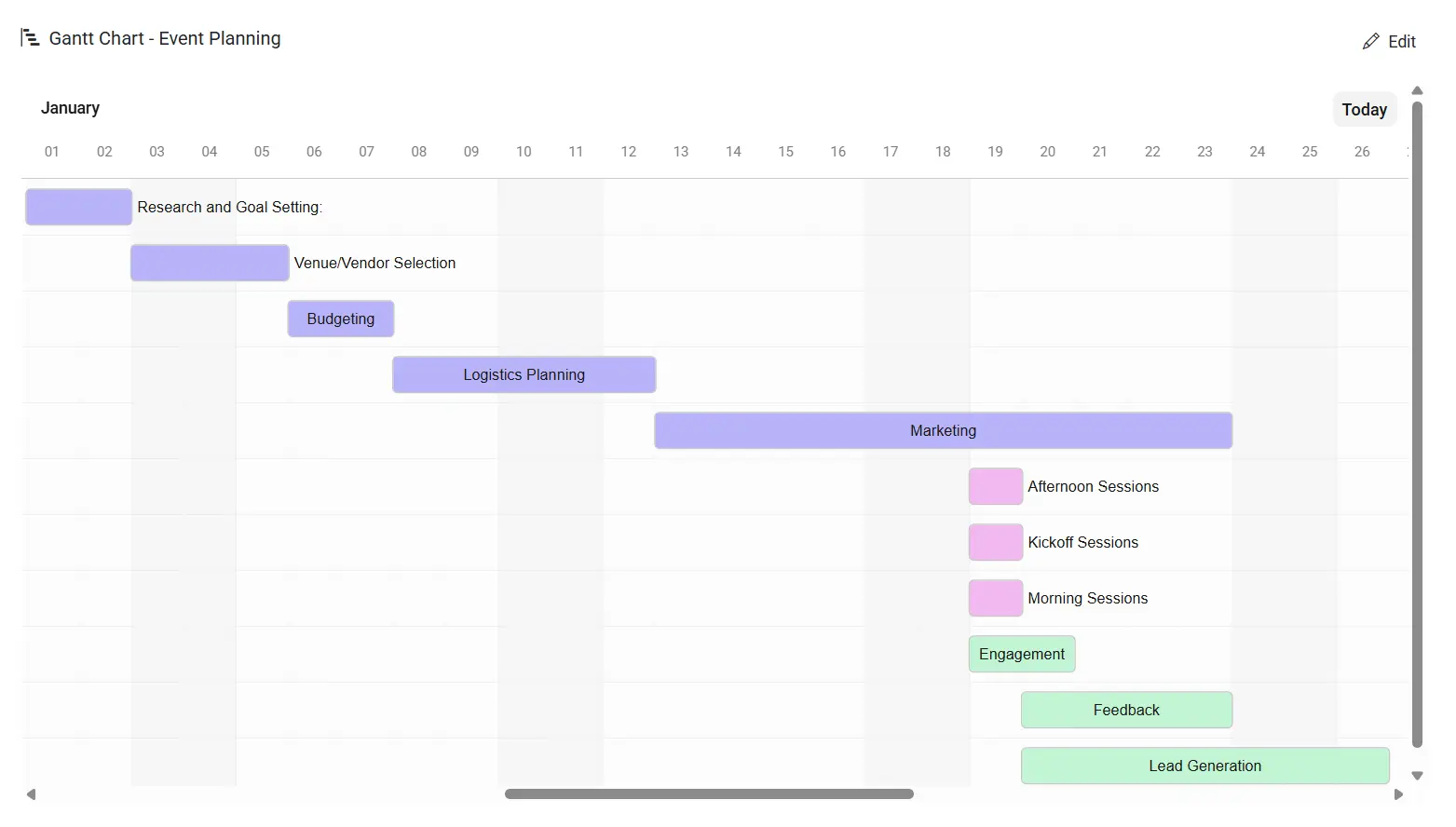
Gantt Chart
Manage project timelines, dependencies, and delivery planning in a more strategic way.
Bring your entire workflow into one visual platform
From task boards and advanced views to dashboards, widgets, and AI-powered automation, our board application is designed to help teams work faster, stay aligned, and make better decisions.
Get Started Request a Demo