The Ultimate Work OS
Connect Your Team, Projects, and Goals in One Place.
AiWorkk Hierarchy Structure
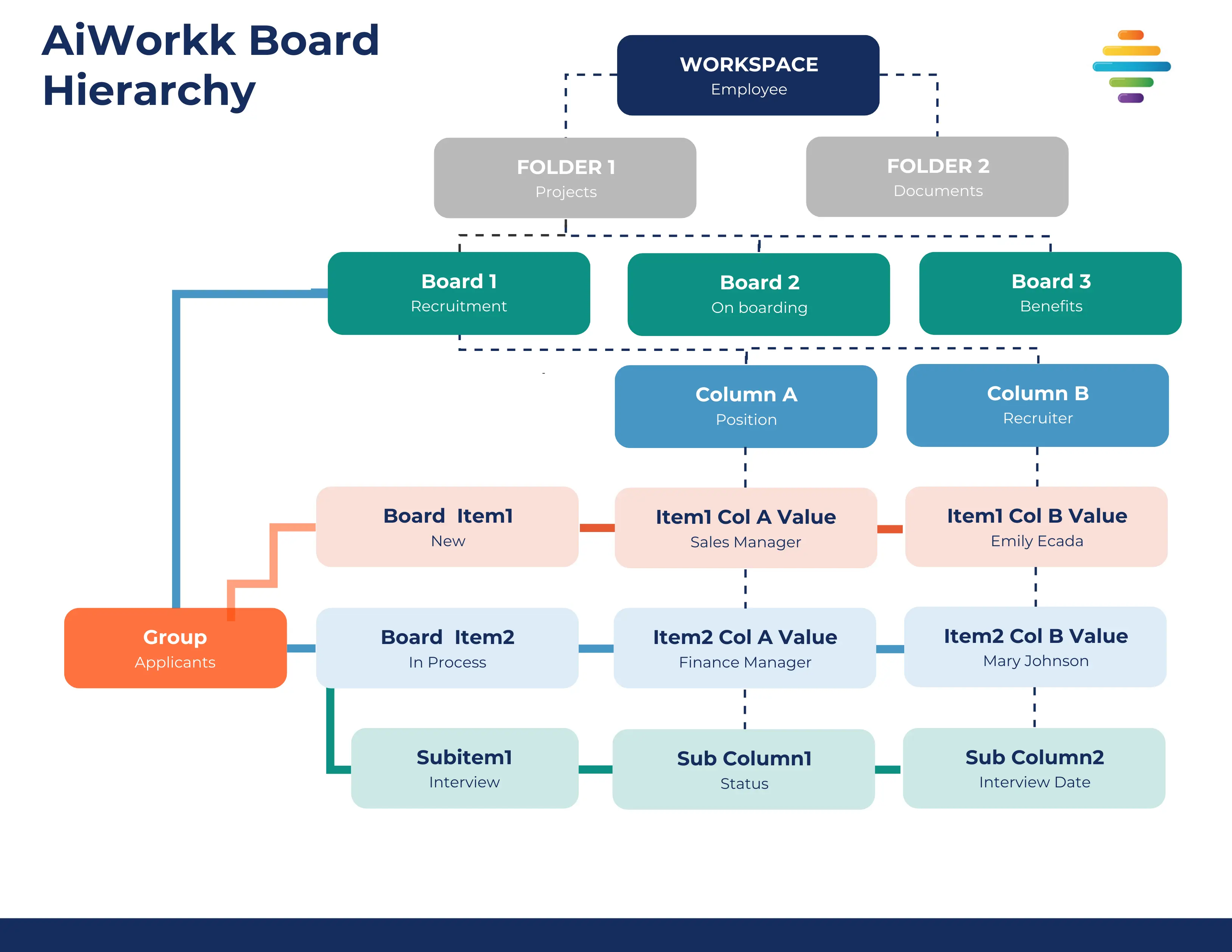
AiWorkk uses a scalable hierarchy system designed to organize workflows, improve collaboration, and simplify project management across teams and departments. The hierarchy enables companies to move from managing simple daily tasks to coordinating complex enterprise operations in a clear, structured, and secure environment.
The hierarchy is organized as: Workspaces → Folders → Boards → Groups → Items → Subitems Alongside this structure, Dashboards and Work Documents provide high-level reporting, analytics, and process documentation across the platform.
Workspaces
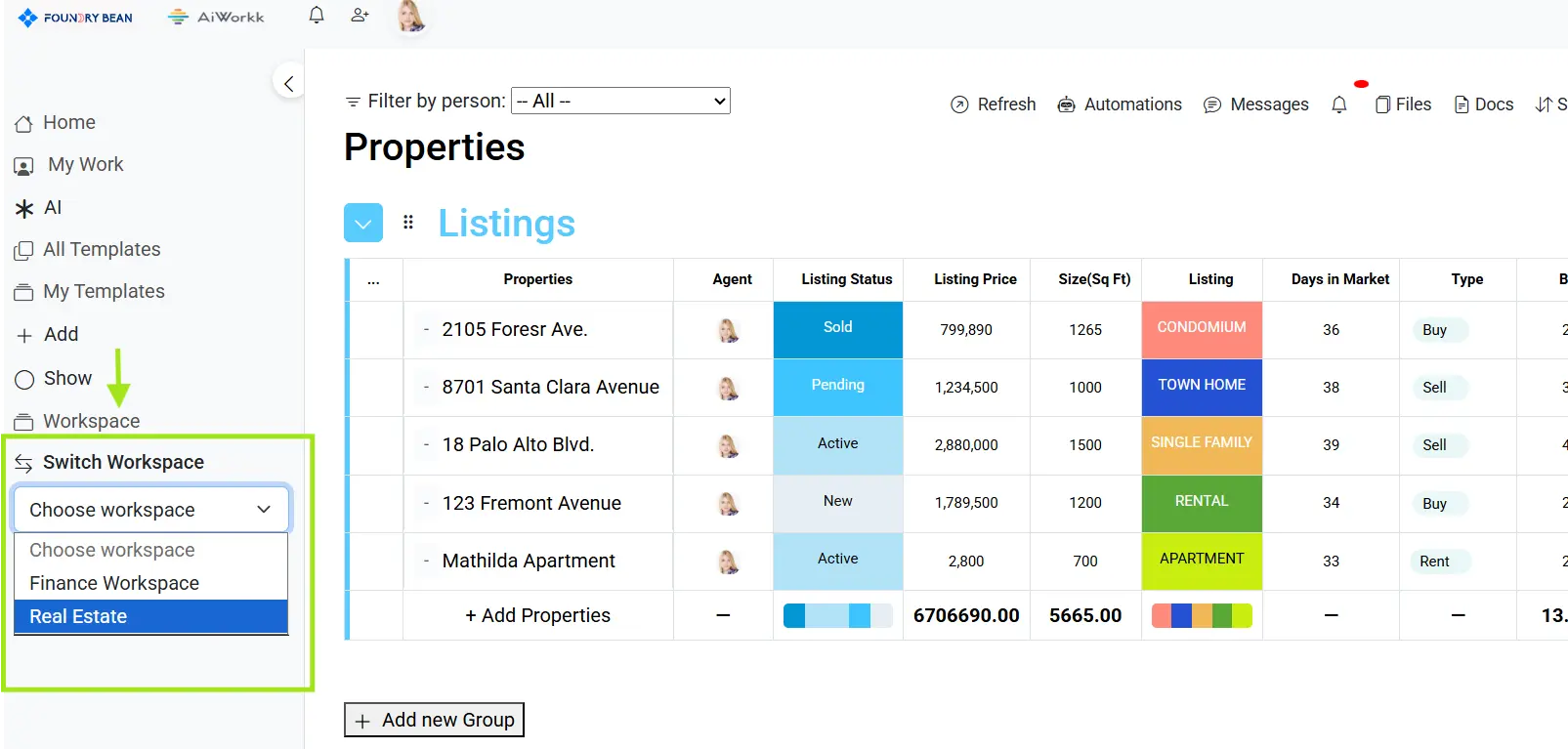
Workspaces are the highest organizational level in AiWorkk and act as containers for teams, departments, clients, or company initiatives. Every board, dashboard, and work document must exist inside a workspace. Organizations can create multiple workspaces to separate different operational areas such as Marketing, Sales, HR, IT, Finance, or Customer Support. Workspaces help teams:
- Organize work by department or project
- Control collaboration and permissions
- Separate sensitive data between teams
- Scale operations in a structured way
Examples:
- Marketing Workspace
- HR Workspace
- Client Operations Workspace
Folders
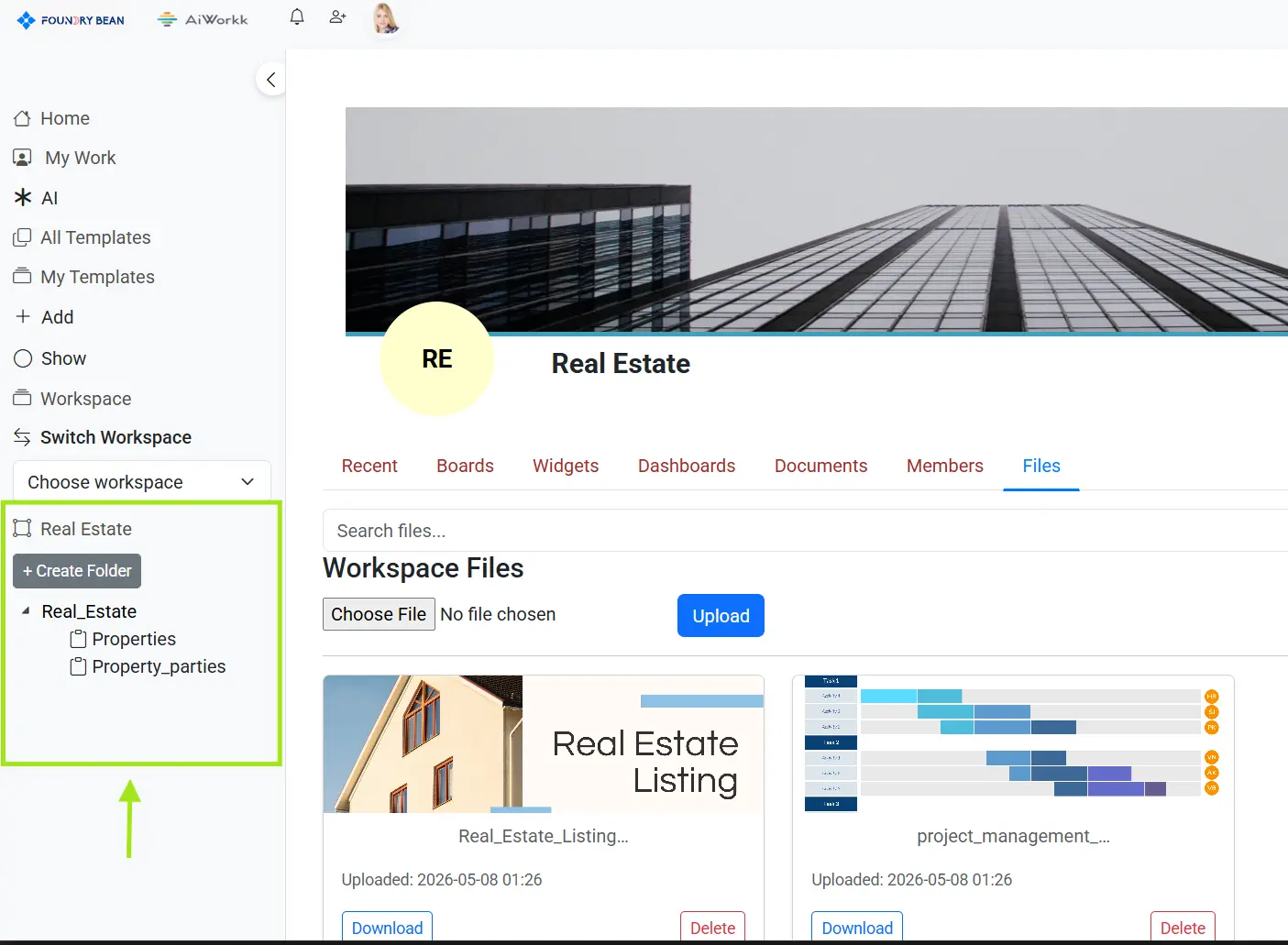
Folders provide an additional organizational layer inside workspaces and help keep related boards, dashboards, and work documents grouped together. As organizations grow, workspaces can contain large amounts of information. Folders prevent clutter by allowing teams to categorize workflows by projects, business units, campaigns, clients, quarters, or operational areas. Folders are optional, but highly recommended for larger teams.
Examples:
- Q1 Campaigns
- Website Redesign
- Customer Onboarding
- IT Operations
By default, newly created boards are placed into an automatically generated “Unassigned Boards” folder until they are organized.
Boards
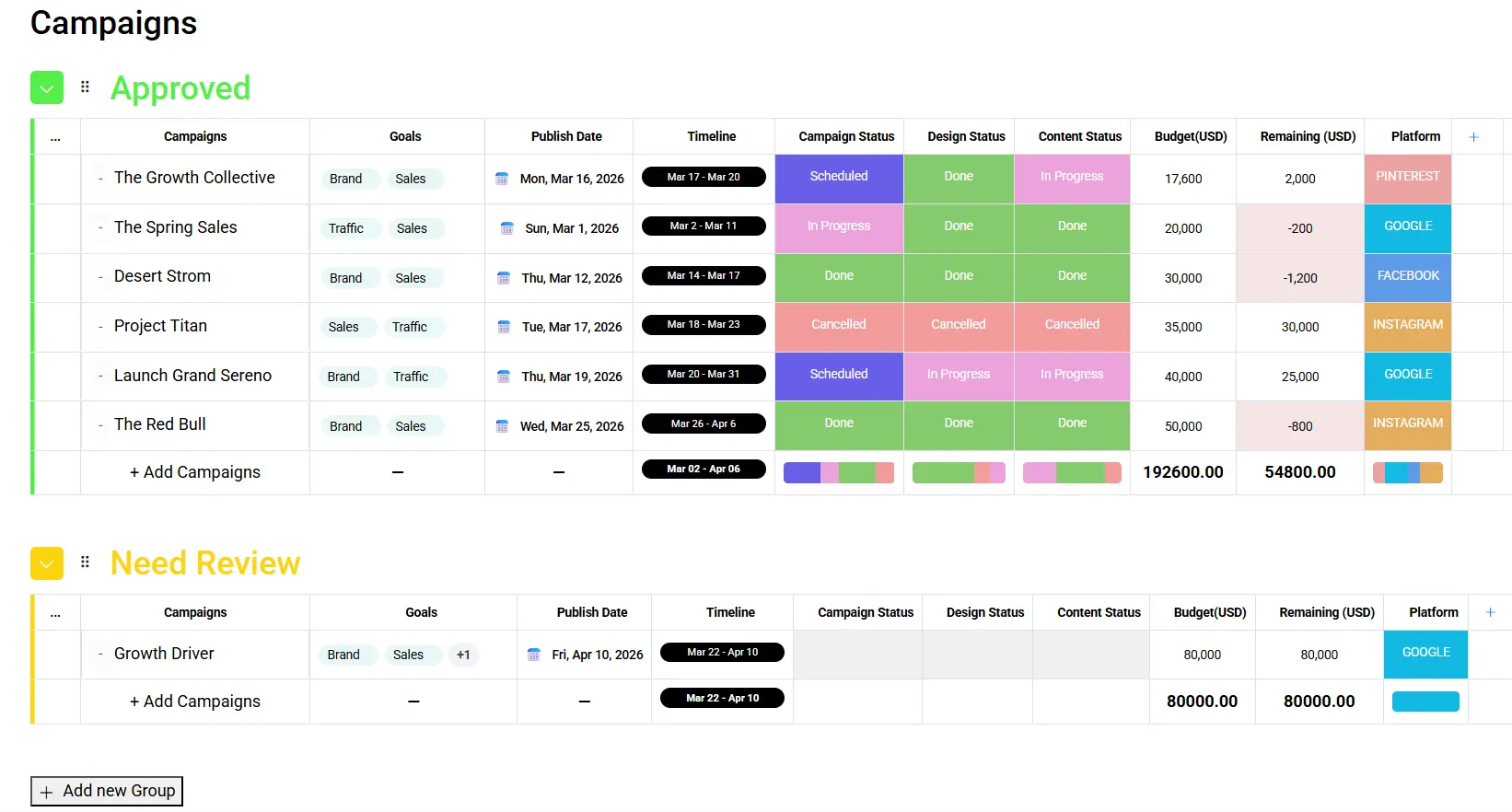
Boards are the operational center of AiWorkk where teams manage actual work.
A board is structured like a highly customizable table where projects, tasks, processes, clients, tickets, or workflows can be managed visually and collaboratively.
Boards support:
- Custom columns
- Multiple views
- Automations
- Connected workflows
- Dashboards and analytics
- Work documents
Work documents
- Project trackers
- CRM pipelines
- Marketing campaigns
- IT service workflows
- Recruitment systems
- Product roadmaps
Groups
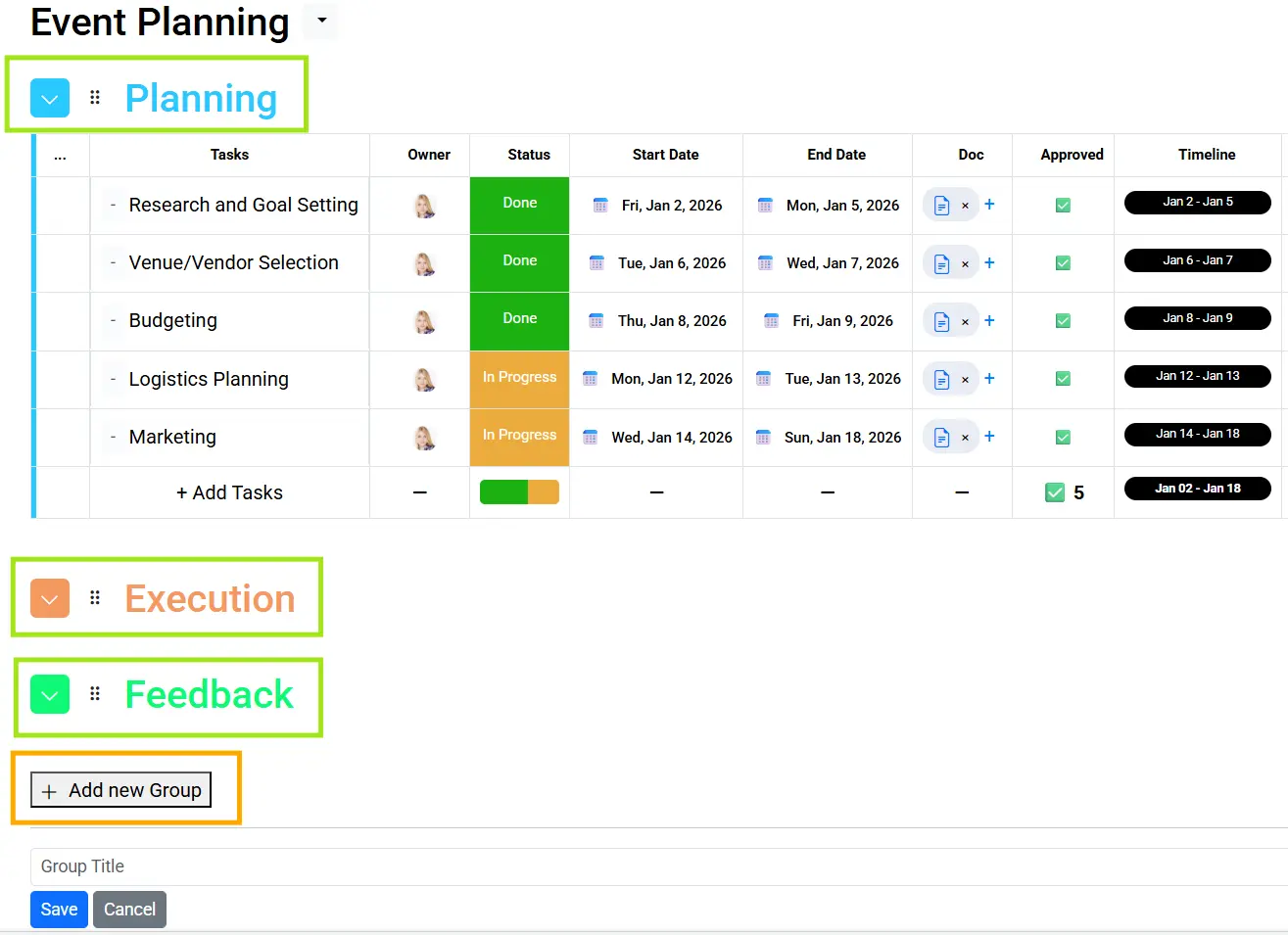
Groups organize items within a board into clear visual sections.
Groups help teams categorize work based on status, phase, timeline, ownership, or any workflow structure that fits their process.
A board must contain at least one group.
Groups can represent:
- Project phases
- Workflow stages
- Weeks or months
- Weeks or months
- Teams or departments
- Quarters
- Priority levels
Examples:
- Planning
- In Progress
- Completed
- Q1
- Marketing Team
Items
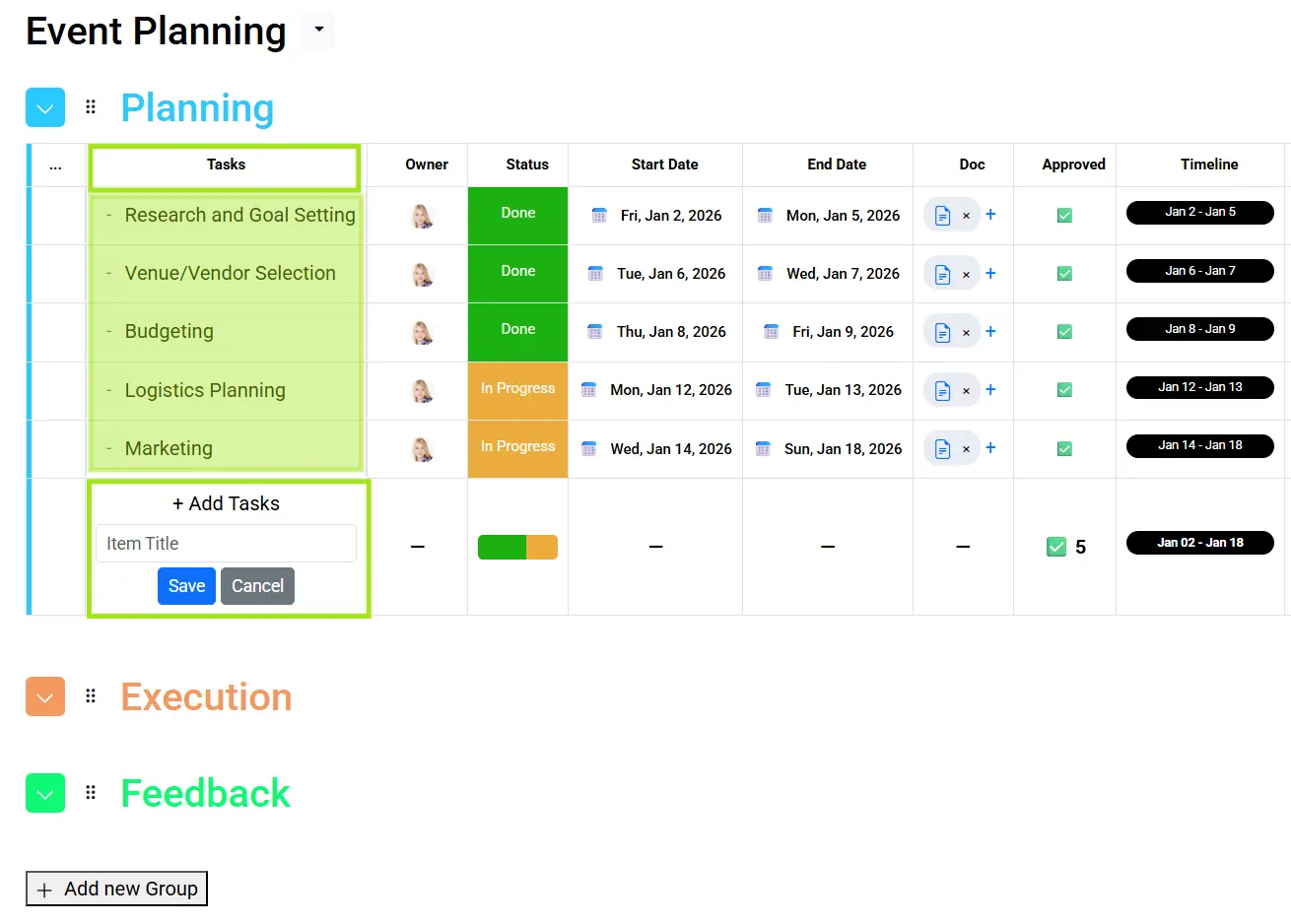
Items are the main records inside a board and represent the actual units of work being managed.
Each item appears as a row inside a group and can represent virtually anything depending on the workflow.
Itemss can represent:
- Tasks
- Projects
- Customers
- Sales opportunities
- Tickets
- Campaigns
- Assets
- Requests
Items contain all operational information through customizable columns such as:
- Status
- Timeline
- Date
- Owner
- Priority
- Numbers
- Tags
- Formulas
- AI Columns
Columns
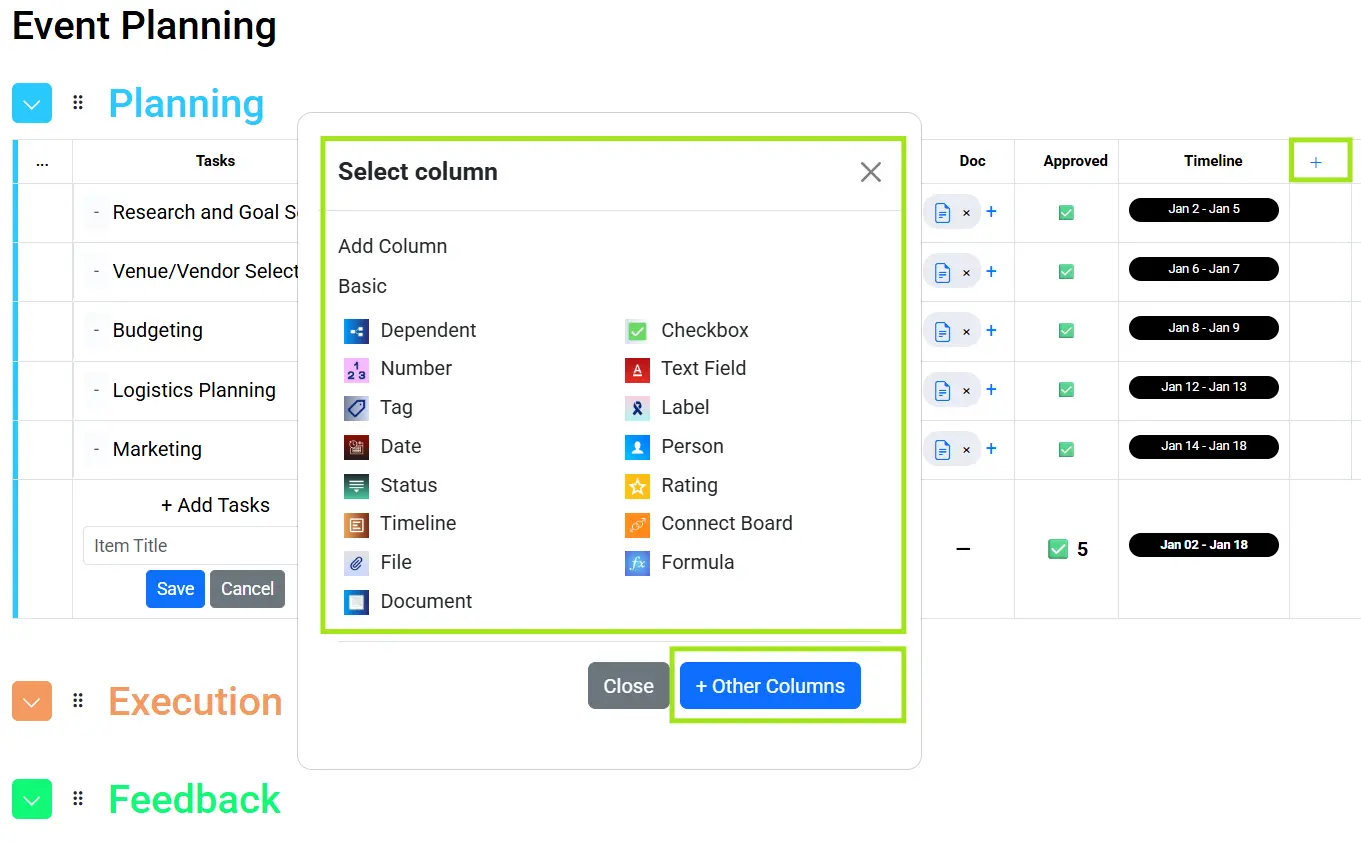
Columns are the building blocks of every board and define how information is stored, displayed, and managed.
AiWorkk provides a wide range of column types that allow teams to customize workflows according to their exact operational needs.
Itemss can represent:
Examples include:
- Text
- Status
- Timeline
- Date
- Owner
- Dropdown
- Numbers
- Tags
- Formulas
- AI Columns
- Person
- Files
- Country
- Phone
Subitems
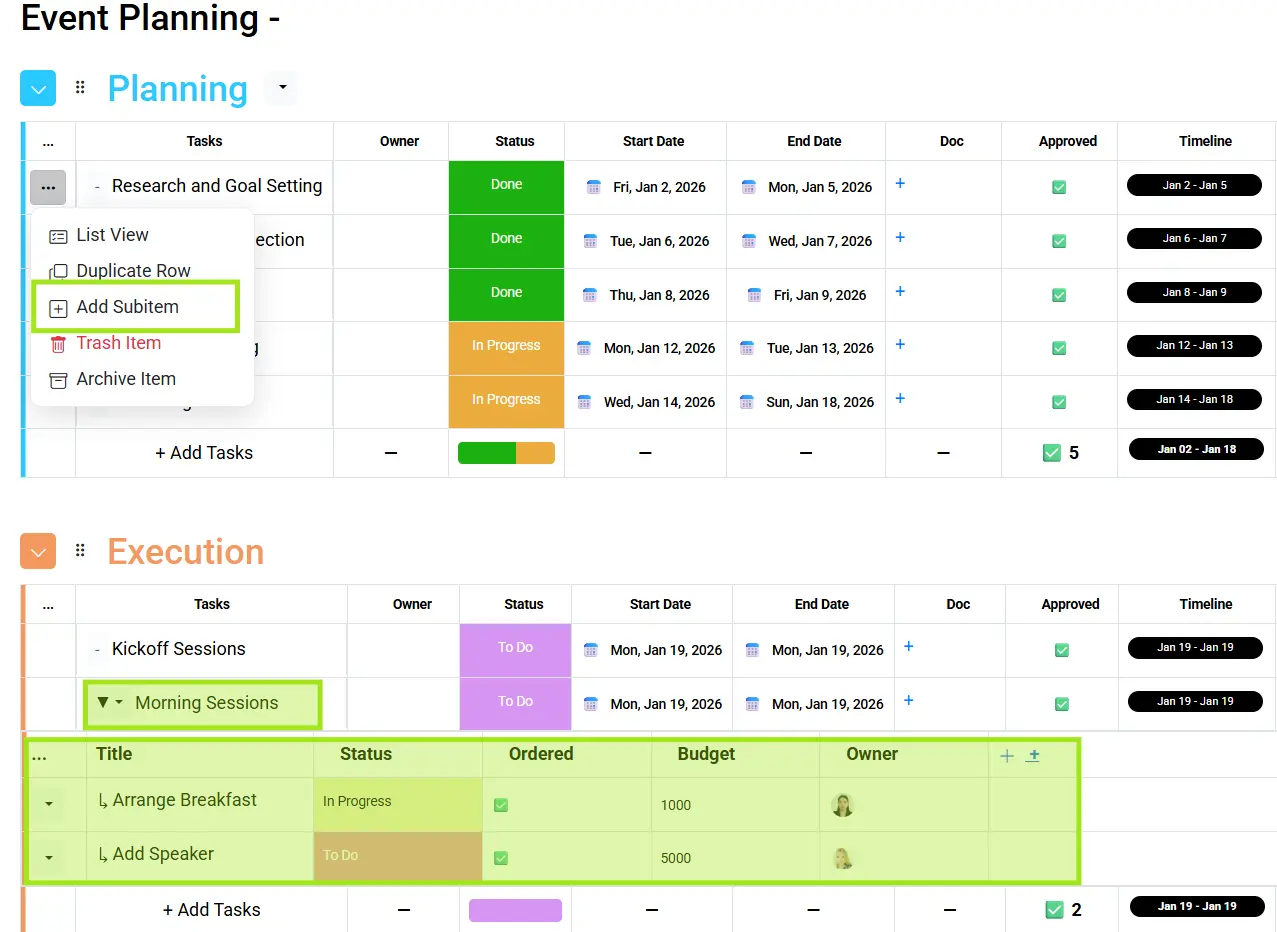
Subitems provide an additional level of detail underneath main items.
They allow teams to break large tasks or projects into smaller actionable components while maintaining visibility within the main workflow structure.
Subitems are useful for:
- Task breakdowns
- Checklists
- Milestones
- Deliverables
- Dependencies
- Operational steps
This helps teams manage detailed execution without overcrowding the main board.
Dashboards
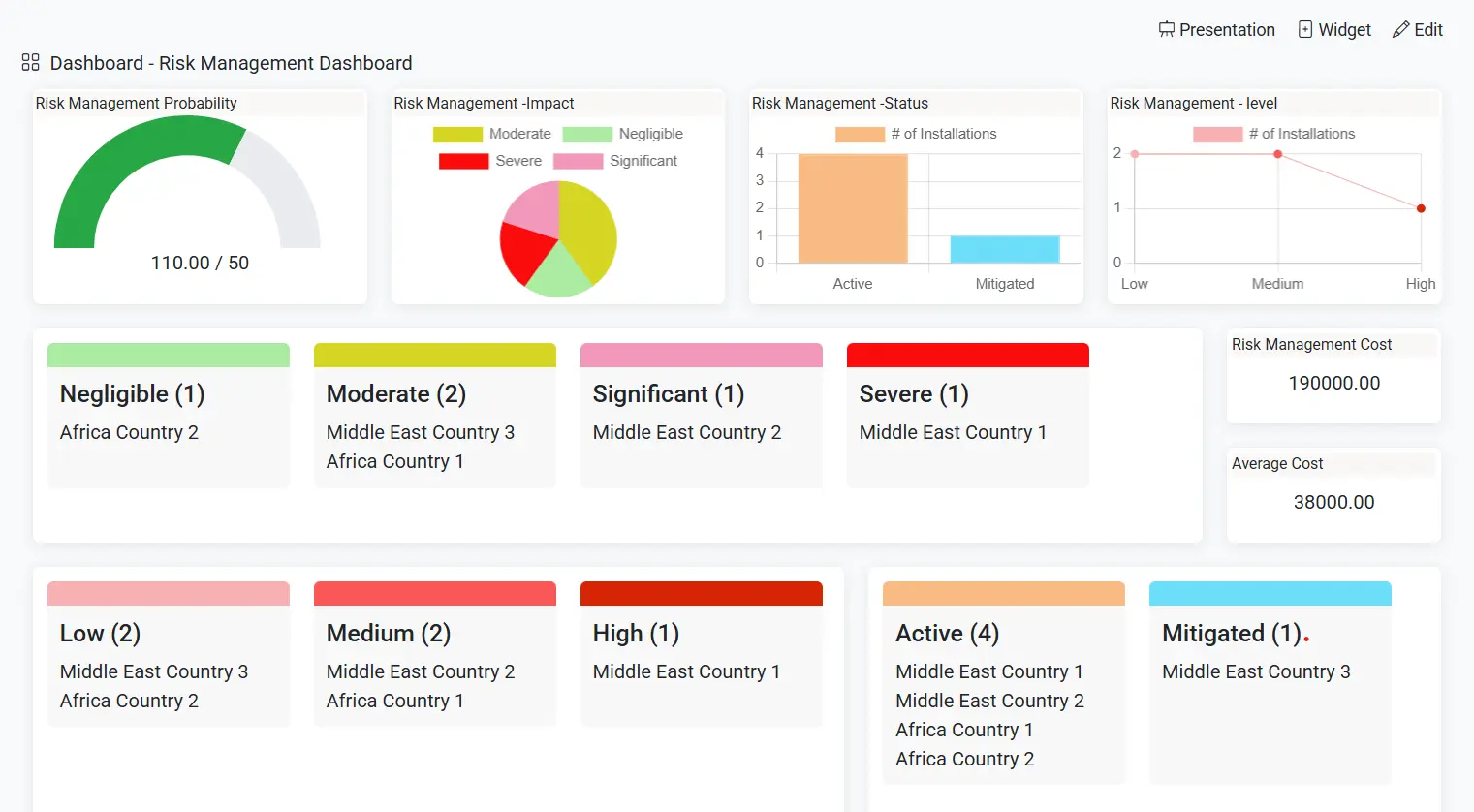
Dashboards aggregate data from multiple boards to provide high-level reporting, analytics, and visibility across teams and projects.
Dashboards use widgets to visualize important information such as:
- KPIs
- Project progress
- Workload
- Budgets
- Performance metrics
- Operational summaries
Dashboards help leadership and teams make faster, data-driven decisions.
Widgets
Widgets are the building blocks of dashboards.
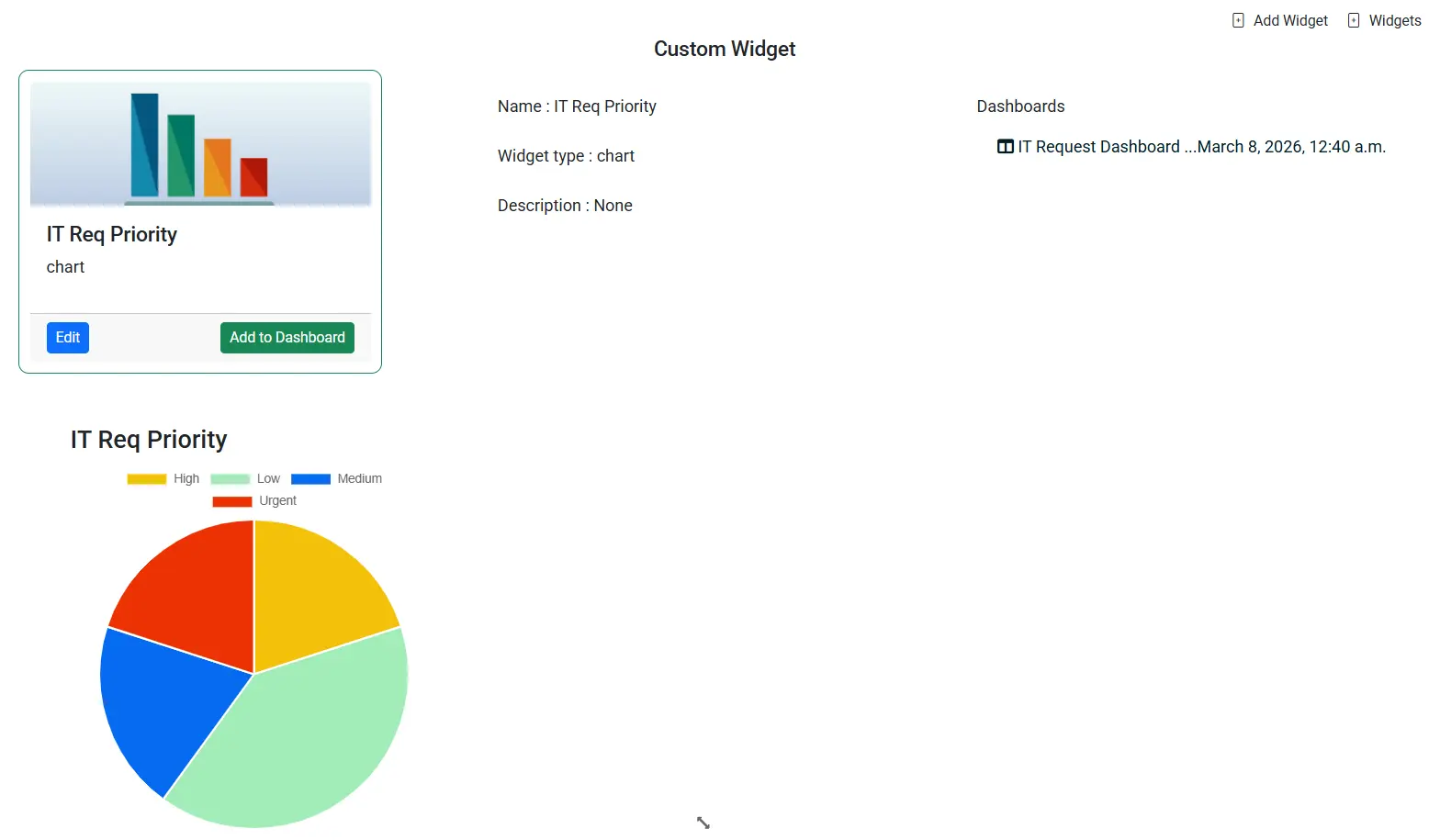
Teams can create widgets and attach them to dashboards to visualize data in different ways depending on reporting needs.
AiWorkk supports multiple widget types including:
- Chart Widgets
- Numbers Widgets
- Table Widgets
- Card Widgets
- Gauge Widgets
- Calendar Widgets
- Media Widgets
For example:
- A Chart Widget visualizes trends from board data
- A Numbers Widget calculates totals, averages, or KPIs
- A Table Widget displays operational records in real time
Bring your entire workflow into one visual platform
From task boards and advanced views to dashboards, widgets, and AI-powered automation, our board application is designed to help teams work faster, stay aligned, and make better decisions.
Get Started Request a Demo