AiWorkk Integrations
Connect your tools. Simplify your workflow. Get more work done.
Connect AiWorkk with other Apps
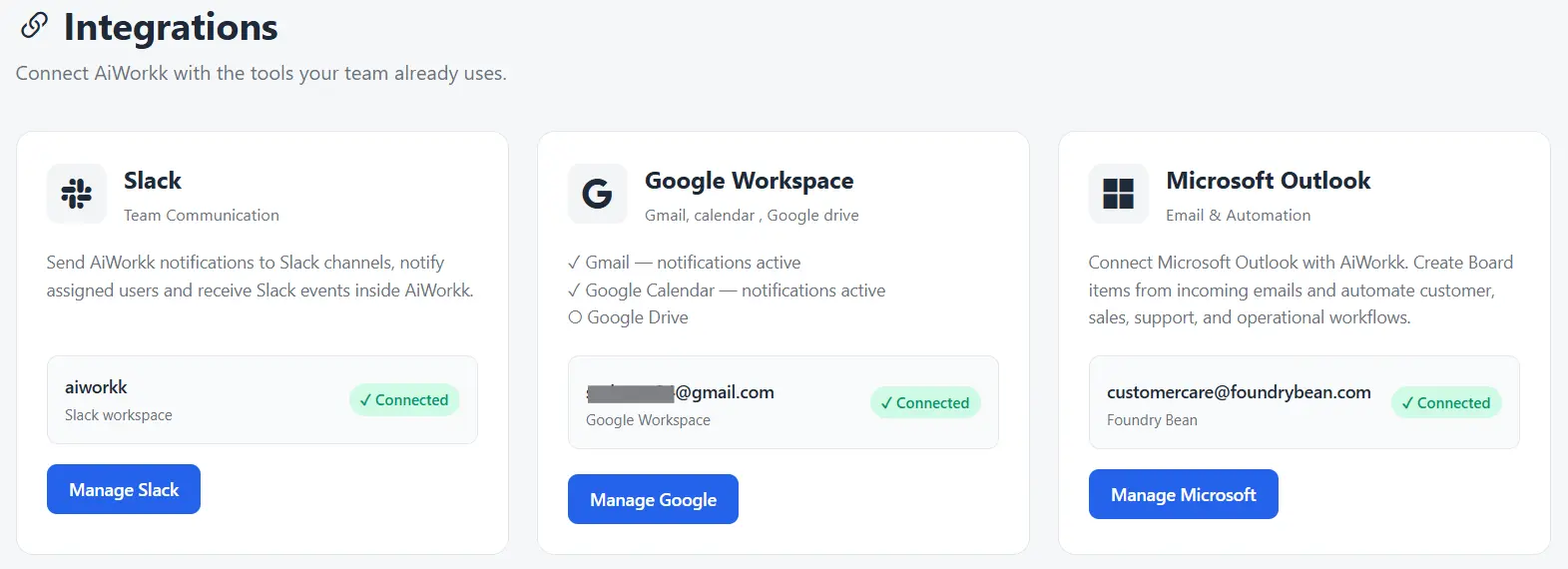
Your team already works across email, calendars, messaging, and productivity tools. AiWorkk brings those tools into your work management environment so information can move between the apps your team uses every day.
Connect AiWorkk with Slack, Google, and Microsoft to turn conversations, emails, meetings, and updates into actionable work—without constantly switching between applications.
Slack + AiWorkk (
 +
+
 )
)
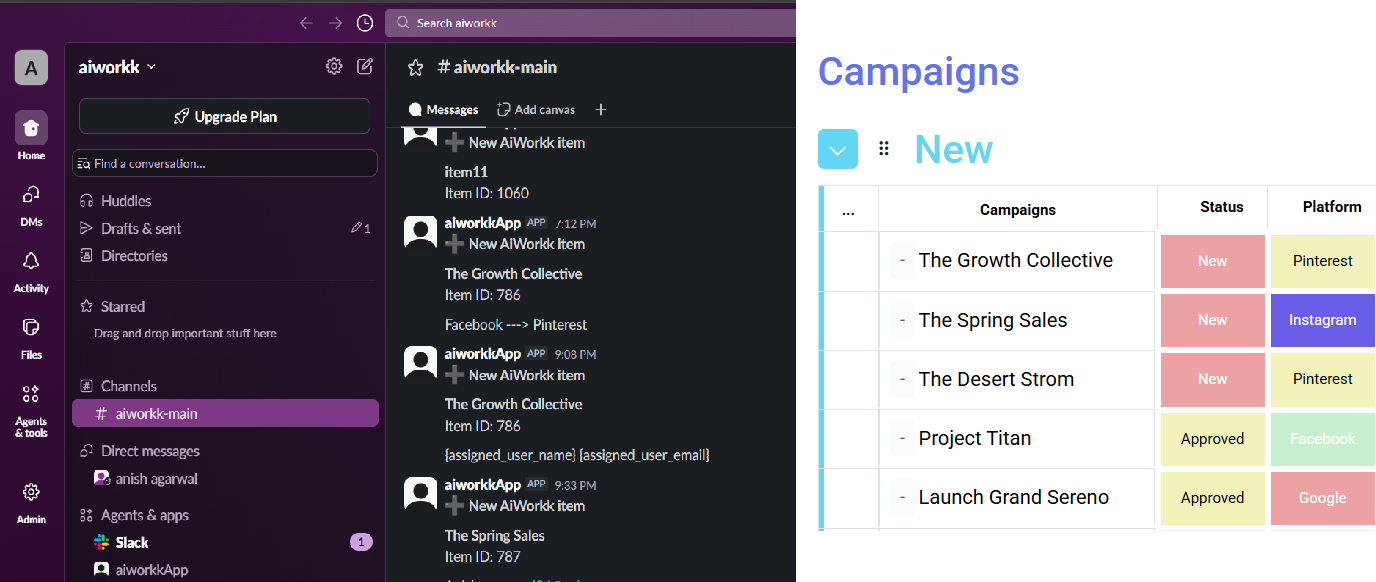
Turn conversations into action Teams make important decisions in Slack every day. AiWorkk helps connect those conversations with the work being managed on your boards. With the AiWorkk Slack integration, activity in AiWorkk can trigger Slack messages so the right people can stay informed as work progresses.
Keep your team updated automatically
Use AiWorkk integrations and automations to:
- Send a Slack message when a new item is created
- Notify a channel when a status changes
- Share important board updates with your team
- Keep project conversations connected with ongoing work
- Reduce the need to manually copy updates between AiWorkk and Slack
Examples:
A new customer request is added to an AiWorkk board. AiWorkk automatically sends a message to the appropriate Slack channel, helping the team see the update and respond quickly. AiWorkk → Automation → Slack → Team
- Marketing Workspace
- HR Workspace
- Client Operations Workspace
Gmail + AiWorkk (
.svg) +
)
+
)
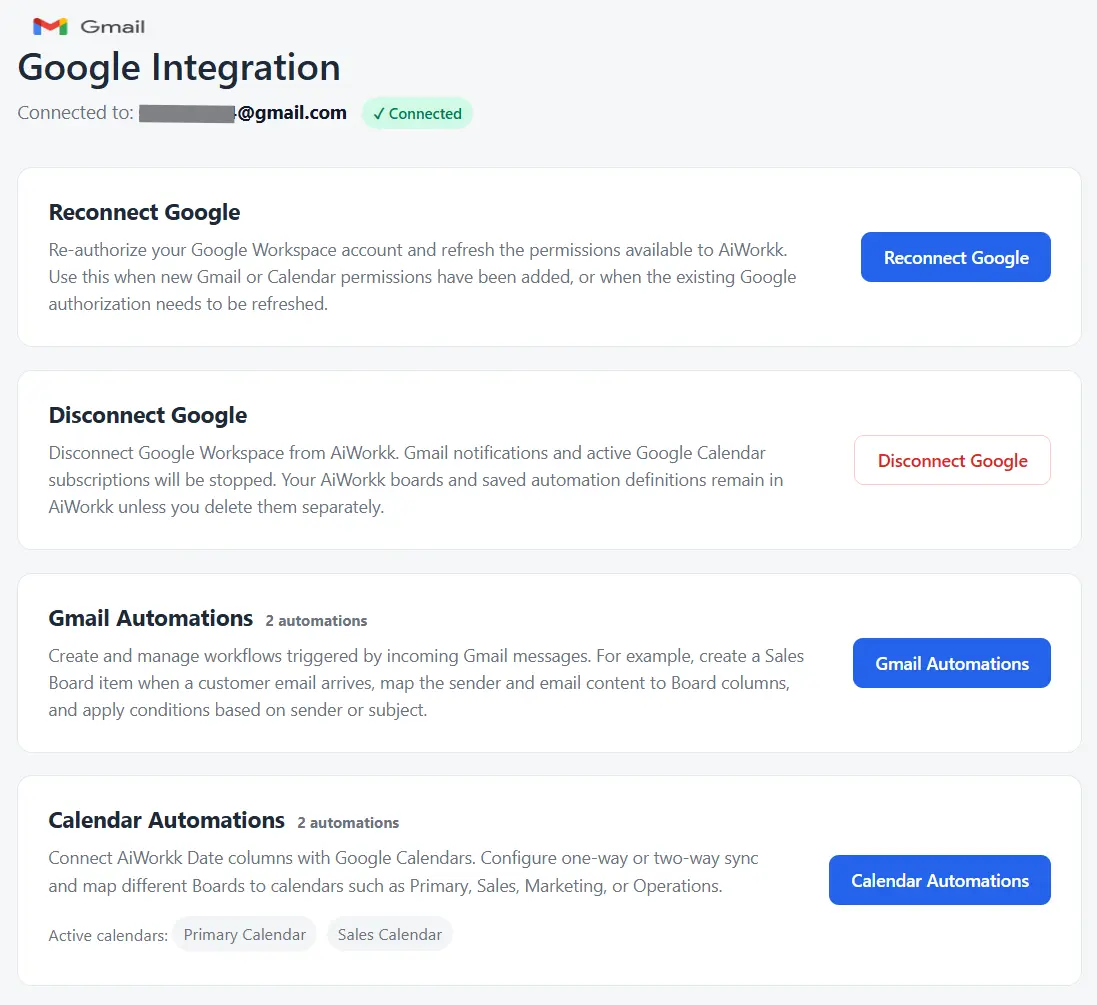
Connect Gmail with AiWorkk to make email part of your workflow. Depending on your configured integration and permissions, your team can build workflows around Gmail such as:
- Connect work updates with email communication
- Keep customer and project communication closer to the related work
- Reduce repetitive email tasks
- Trigger email actions as work progresses
Calendar + AiWorkk (
.svg) +
)
+
)
Connect schedules with the work that drives them
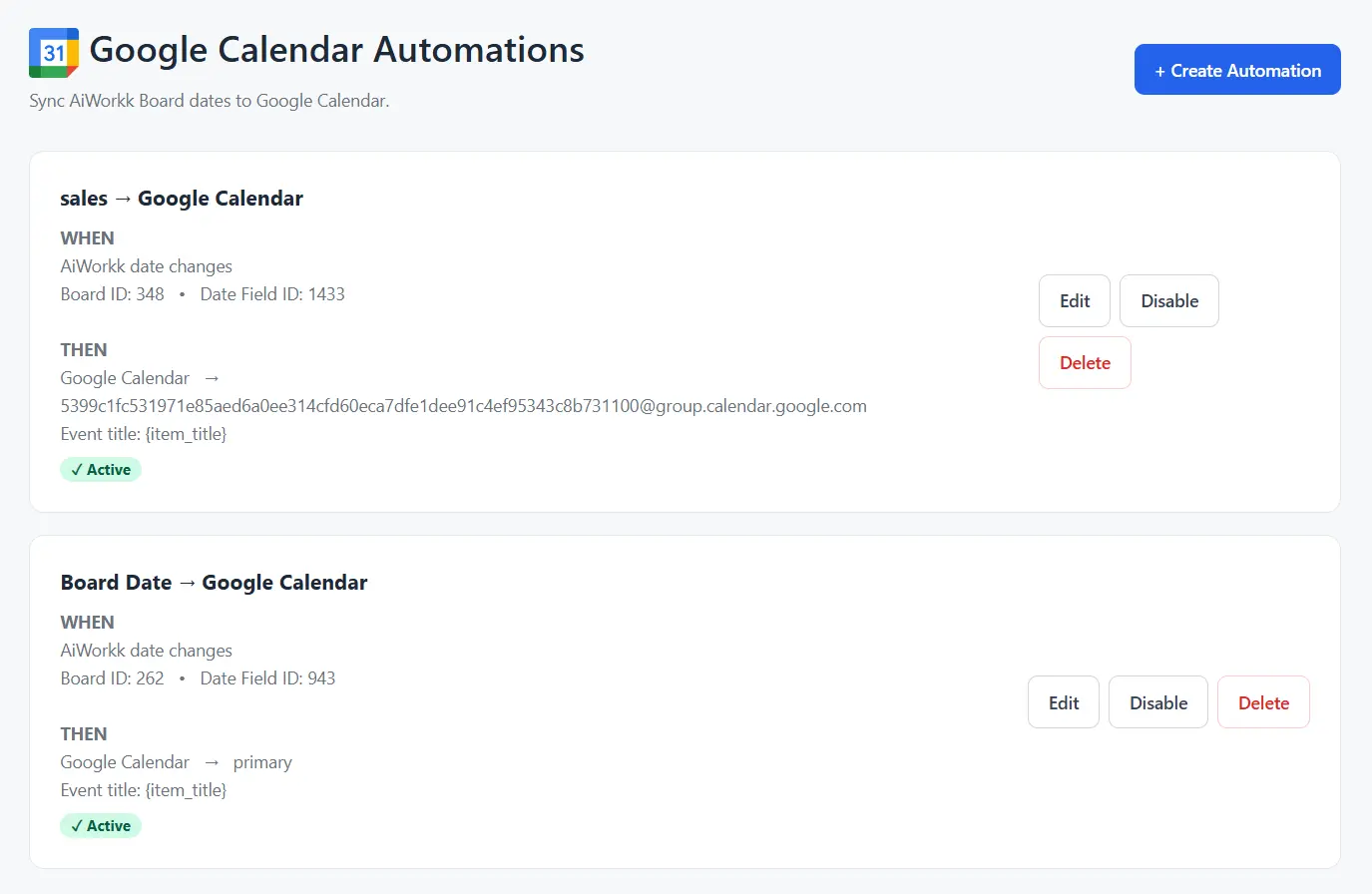
Turn important AiWorkk dates into calendar activity and keep scheduled work visible where your team manages its time. Use Google Calendar integration to connect meetings, deadlines, appointments, and other scheduled activities with your AiWorkk workflows.
Potential workflows include:
- Create calendar events from AiWorkk
- Connect task or project dates with scheduled events
- Add relevant meeting information to calendar events
- Keep project schedules and calendars better aligned
- Reduce duplicate data entry between work management and scheduling tools
Outlook + AiWorkk (
.svg) +
)
+
)
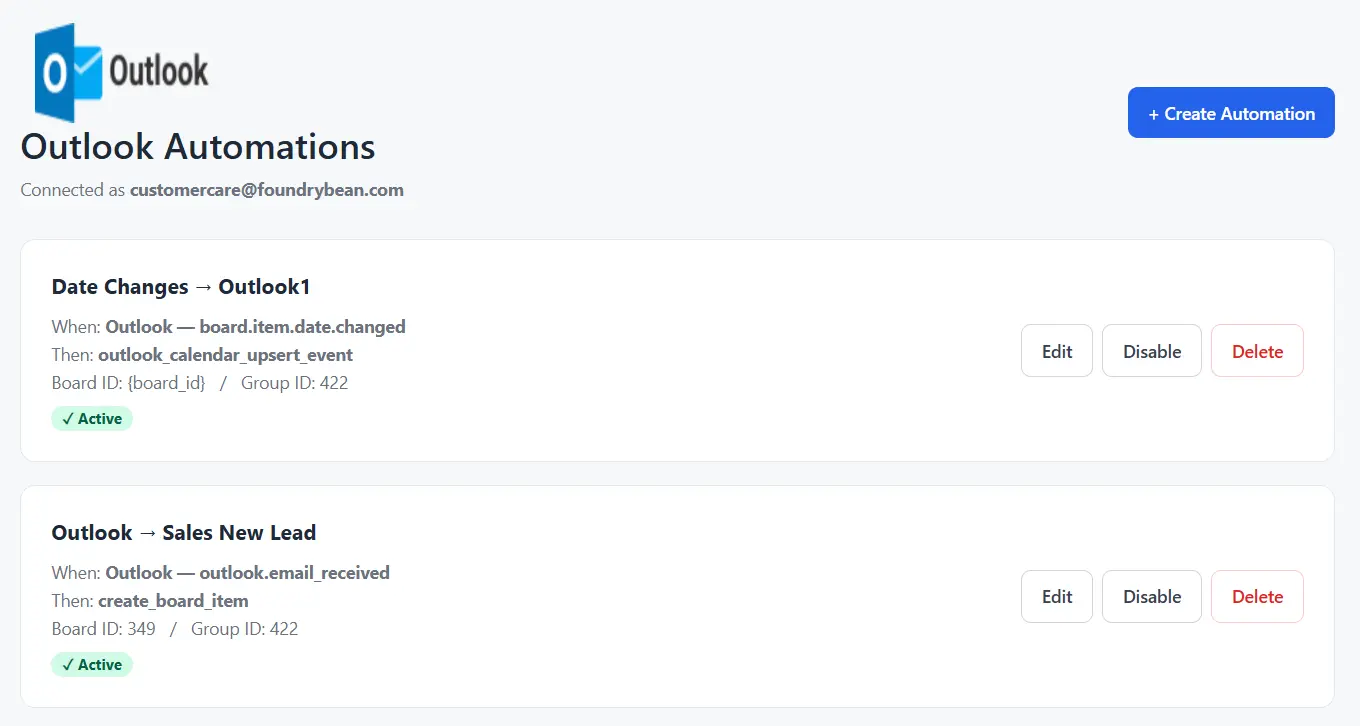
Connect Microsoft tools with the way your team works
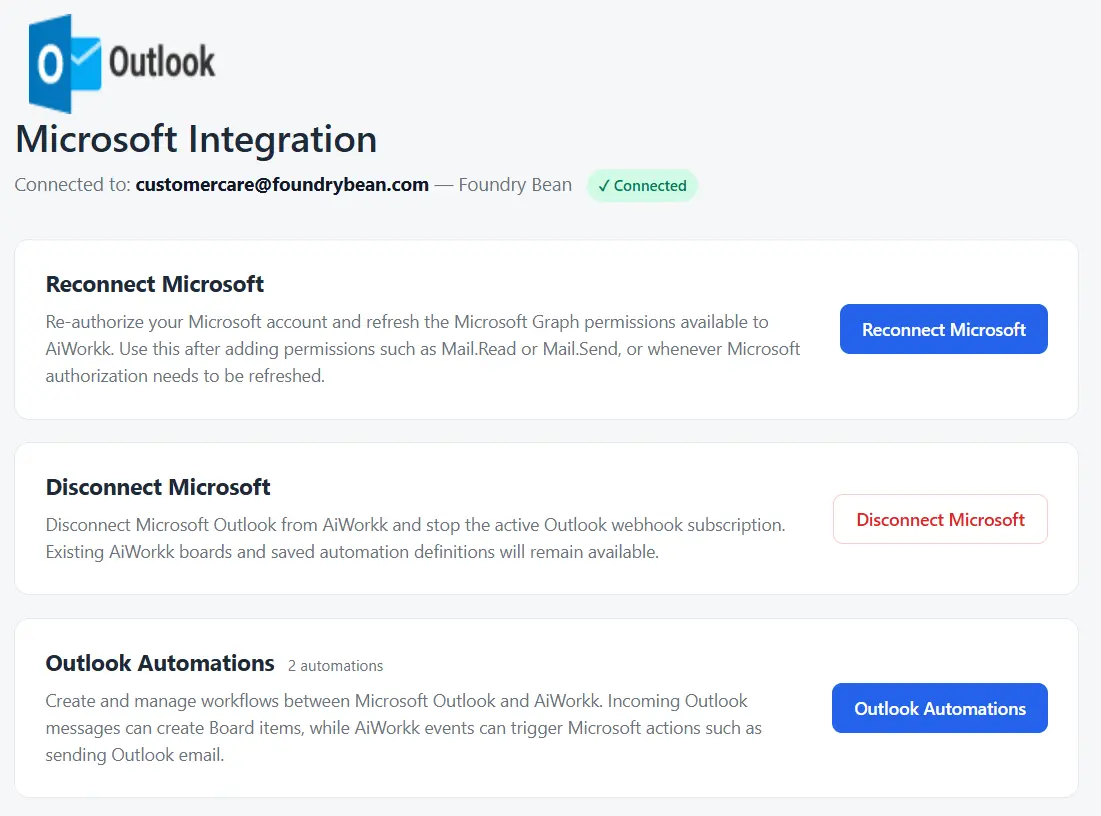
Bring AiWorkk together with the Microsoft applications your organization uses for communication, collaboration, and scheduling. AiWorkk integrations can help connect work management with Microsoft services such as Outlook, Calendar, and Teams, creating smoother workflows across your organization.
Microsoft Outlook
Connect email communication with the work being managed in AiWorkk.
Create workflows that can help teams:
- Send email based on work activity
- Connect customer communication with business processes
- Trigger messages when important work events occur
- Reduce repetitive communication
- Keep teams informed as work progresses
Bring your entire workflow into one visual platform
From task boards and advanced views to dashboards, widgets, and AI-powered automation, our board application is designed to help teams work faster, stay aligned, and make better decisions.
Get Started Request a Demo